
Wallbit card, a US Visa spent from a USDC balance — and what the small print actually says
 Available in US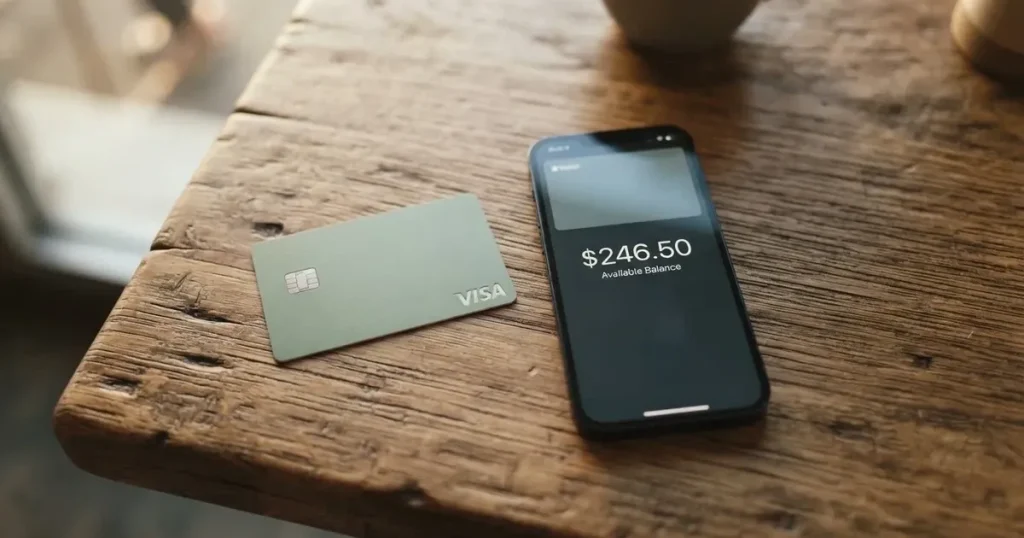
Wallbit is one of the more ambitious recent attempts to turn a stablecoin balance into a normal payment card. The pitch is straightforward: a US-issued Visa that draws on a USDC or USDT balance, with Apple Pay and Google Pay from day one, a US account to receive dollars, and no monthly maintenance. In practice it is a more specific product than that, and the small print decides who it actually works for.
I spent time going through Wallbit’s own pages, the help centre, public reviews and the underlying company information, and this is what I found. If you are weighing Wallbit against a regular bank card, a different crypto card, or simply a more global alternative, the sections below walk through the decision with you.
Conditions in this review are current as of October 28, 2026.
Verdict
Wallbit scores 6.7 out of 10 in my framework, which is a middling-but-decent result for a crypto card that is still effectively in a virtual-only phase. The strengths are real: cheap issuance, free USD spending, no maintenance fee, USDC and USDT deposits at 1:1 with no commission, and Apple/Google Pay from the virtual card. The weaknesses are equally real: seventeen countries excluded at the residence level, a still-unnamed card issuer, a physical card that has been “coming soon” for a while, a 2% foreign-currency markup, and a meaningful number of public complaints about accounts being closed after approval.
The profile Wallbit fits is narrow. If you are a US resident or someone outside the excluded list who already holds USDC or USDT and wants a US billing address to use with US merchants and subscriptions, Wallbit is one of the cleanest options in this corner of the market. If you are a European who wants to spend euros across the eurozone, an Indian freelancer hoping to be approved under a new policy, or anyone whose country sits on Wallbit’s blocklist, you should read the alternatives section before going further.
Here is how the score breaks down.
| Criterion | Mark | Why it lands there |
|---|---|---|
| Who can get it | 8 / 10 | Seventeen countries fully closed at the residence or registration level; outside that list, the door is open. |
| Cost | 7 / 10 | $5 to issue, no monthly fee, free USD spending, 2% FX on other currencies, $5 minimum ATM fee, and a 2% USDC withdrawal on the free plan. |
| Top-up options | 6 / 10 | USDC and USDT 1:1, plus USD, EUR, SEPA, SWIFT and FedNow, but the networks you can send on are not publicly listed. |
| Reliability and complaints | 5 / 10 | Wallbit LLC with US-registered partners, SOC 2 Type I and II, but the card issuer is unnamed, and Trustpilot carries recurring complaints about accounts closed after approval. |
| Everyday use | 7 / 10 | Virtual Visa in Apple/Google Pay, contactless ATM up to $250 per transaction, but no physical card yet, no cashback, and some merchants want a US billing address. |
A simple way to put it: Wallbit is a good card for dollar savers who want a US account and a Visa funded by USDC, and a poor card for anyone who needs euros, a physical card, or a wide country footprint.
Who they will give the card to
The single most important filter on Wallbit is geography, and the card states the rule clearly. Account opening and the card itself are not available to residents or legal registrants of Belarus, mainland China, North Korea, Cuba, India, Iraq, Iran, Israel, Myanmar, Nepal, Nicaragua, Russia, Syria, Turkey, Ukraine, Venezuela, and Vietnam. FATF grey-list countries are reviewed case by case, which in practice means the published list is not the full picture — your country may still be declined, but for a different reason.
The rule is stated by residence or legal registration, not by citizenship. That distinction matters more than it looks. A resident of Germany, or a resident of the UK, falls under their country of residence, not their passport. If you have moved recently and your documents show a new address, that address is what Wallbit works from. A separate, narrower list covers where the card will actually let you buy things: purchases are blocked in North Korea, Cuba, Iran, Russia, Syria, Ukraine, and Venezuela. So even a card you can lawfully hold in, say, Germany is denied at the till if you try to use it in Moscow or Caracas.
If you are in one of the seventeen closed countries there is no workaround in the public documentation, and there is no reason to expect one. The list is the list.
If you are elsewhere, the remaining requirements are ordinary: an email, a password, your full name, a phone number, an identity document from your country of residence, and a verification step that Wallbit says “typically takes up to one business day”. What the public pages do not spell out is whether proof of address or proof of age is required, nor what the formal tiers or rejection reasons are. The level playing field is the single verification step described, and that is a thinner description than most regulated competitors give.
How to get it
The sign-up flow is simple enough to describe in two sentences. You create an account, complete the verification, and then inside the app you tap the card button and choose “Activate my card”. That is the whole happy path.
What you actually receive at the end of it is a U.S.-issued Platinum Visa card, virtual, denominated in USD. The physical card is listed as “Coming soon” — a status it has held across the most recent Wallbit blog posts I checked in September 2026, and which I could not find a firmer date for. If your daily use case is a plastic card you tap at a coffee shop, Wallbit is not that product today; the working version is the virtual card added to Apple Pay or Google Pay.
This virtual-first posture is the one practical point that catches a lot of people out. Anyone planning to swipe, dip, or insert a card at a terminal will be disappointed. Anyone planning to use a phone or watch for contactless and online checkout is in the target group.
What it really costs: Fees
The headline numbers are good. The full picture has edges.

The card itself costs $5 to issue, with no maintenance fee on the basic plan. There are three plans, and they are worth understanding because the same card behaves a little differently under each.
- Classic is free. It includes Apple Pay and Google Pay, the standard rates, and 24/7 in-app support.
- Pro is $9.00 per month. It halves withdrawal fees, reduces trading commissions, and adds priority support.
- Max is $19.00 per month. It has the lowest investment commissions, the highest APR on cash held in the account, and a dedicated Account Executive over WhatsApp.
The fee table for the card itself is short and mostly friendly.
| Fee or limit | Amount |
|---|---|
| Card issuance (virtual) | $5 one-time |
| Monthly maintenance | None |
| Spending in USD | Free on all plans |
| Spending in other currencies | Visa exchange rate + 2% |
| Deposits of any kind | No fee |
| ATM withdrawal | 1% with a $5 minimum, plus 1% extra for non-USD |
| ATM per-transaction limit | $250 |
| Daily spending limit | Stated in app; amount not published |
A few everyday examples help. Suppose you are a US resident paying for a $40 Uber in New York. You have USD in the card account, the merchant charges in USD, the conversion is the Visa rate at 1:1, and the fee is zero. The same trip billed to a non-US Visa in a different currency would still come out of your USD balance, but the FX is now Visa’s rate plus 2% — on $40 that is roughly $0.80, which is small but not nothing, and over a year of foreign subscriptions it adds up.
A second example: you want $100 cash from an ATM. The fee is 1% with a $5 minimum, so the fee is $5. If the ATM dispenses a non-USD currency, add another 1%, capped by the $250 per-transaction limit. On $100 that comes to $5 plus the 1% extra fee, making the total fee $6. ATM fees here are a tax you pay for convenience, not a way to move money cheaply.
A third example: you want to send USDC out of Wallbit to your own wallet. On Classic, that is a 2% fee. On Pro and Max it drops to 1%. ACH out is 1% with a $5 minimum on Classic and 0.5% on the paid plans; wire is 1% with a $25 minimum on Classic and 0.5% on the paid plans; SEPA is 1% with a $10 minimum on Classic and 0.5% on paid; SWIFT is 1% with a $25 minimum on all plans. None of these are cheap for occasional users, and they are the part of the cost story the marketing page does not lead with.
There is also an inactivity fee of $2.00 per month after 3 months of no activity, which is a small but real charge if you forget about the account.
How to top it up: Top up
The most direct route is the one Wallbit was built around. You deposit USDC or USDT into the USD account, free of charge, at a 1:1 ratio, meaning a USDC becomes a dollar in the card balance without any conversion spread. That is the cleanest deposit path on the card, and for many users it will be the only one that matters. It is worth saying plainly: the fee page lists “deposits of any kind” as free, so the 1:1 deposit is consistent with that, and the public pages do not call out any platform fee on top of it.
If you hold regular dollars or euros rather than stablecoins, the same account accepts USD, EUR, SEPA, SWIFT and FedNow deposits. That is a wide corridor, including a real-time US rail (FedNow) for dollar funding, which is unusual for a crypto card.
What the public documentation does not say is the blockchain networks you can use to send USDC or USDT. Other providers publish a list — Ethereum, Solana, Polygon, Base, Avalanche and so on — because the wrong network means lost funds, since blockchain transfers are irreversible and a deposit to a network the provider does not support cannot be recovered automatically. Wallbit does not give that list on the card page, and the help centre entry I checked did not pin it down either. If you intend to top up with USDC, treat the missing network list as the single biggest practical question to resolve with support before you transfer.
The minimum deposit is also not stated, and the public pages do not say who pays the on-chain network fee (gas) on a USDC or USDT transfer. On a network like Ethereum that fee can easily run into single-digit dollars at quiet times and double digits at congested times. The card will not charge you, but the chain will.
Paying with it every day
In day-to-day use, the Wallbit card behaves like a normal US Visa, with two practical twists. The first is that, until the physical card ships, you are paying through your phone or watch. The virtual card works with Apple Pay and Google Pay, and the contactless-at-ATM path runs over the same tokenised credentials with a $250 per-transaction limit. There is no cashback programme published, and the card does not advertise rewards points or a sign-up bonus.
The second twist is the billing-address question. Some merchants, especially US-based subscription services and certain online checkouts, look at the country the card was issued in and ask for a matching billing address. A US-issued Visa usually pairs with a US billing address, which is part of why this card is attractive to non-US residents who want a US footprint. For users who actually live in the US this is invisible; for users abroad it is a feature.
The card supports the standard in-app controls you’d expect, including lock and unlock, and you can see the daily spending limit inside the app, even if the limit’s exact figure is not published. Declined payments, pending authorisations, and the operational realities of dispute handling are not described in detail on the public pages. The help centre has articles on declined and pending payments, but the formal chargeback process and timing are not laid out, and one user report I read describes missing the payment trace for a Brazilian PIX transfer. That is one data point, not a pattern, but it is the kind of gap that matters if you are about to commit real money.
The iOS and Android apps are the only way to manage the card. App Store and Google Play ratings are not stated in the public materials I read.
What can go wrong
Three categories of risk are worth thinking about before you sign up: counterparty risk, the card-programme question, and the specific user complaints.
On the company side, Wallbit LLC is the brand, and the company says Wallbit and its banking and investment partners are registered in the United States. The brokerage relationship is with Alpaca Securities LLC, a FINRA-registered and SIPC-member firm. The investment-advisory relationship is with W2B, Inc., an SEC-registered investment adviser (CRD# 331220). Custody of investments is covered by SIPC Excess up to USD 75 million per account, which is a meaningful backstop for the investment side of the account, though it is not a deposit guarantee and does not protect the card balance or the stablecoin balance.
The card issuer, however, is not named on the public card pages. That is unusual for a US-issued Visa, and it is the single most important transparency gap in the product. The reason it matters is that, in a card programme, the issuer is the entity that ultimately holds the licence, settles with the network, and is responsible for the funds and the dispute machinery. If you cannot see who that is, you cannot easily evaluate the credit standing, the regulatory standing, or the jurisdiction whose law applies if something goes wrong.
On the security side, Wallbit cites SOC 2 Type I and II compliance, which is a real, externally audited control framework — better than the absence of one, and a sign the platform is being measured against a standard. The card itself is a custodial account: Wallbit holds the credentials, you do not, and you should treat the balance as you would treat any balance held by a third party.
On complaints, the picture is mixed. Trustpilot shows 4.0 out of 5 across 69 reviews as of 2026-10-21, which is a healthy average, with roughly 70% of reviewers at five stars and 23% at one star. The negative reviews cluster around themes: accounts closed after approval citing compliance, support emails that did not get a reply, and an inability to trace a disputed Brazilian PIX payment. The last one is concerning because a card programme that cannot produce an end-to-end payment trace is hard to dispute through, but it is also one user’s report, not a confirmed pattern. I did not find an official incident statement from Wallbit, and I did not find any change in the company’s licence status or card issuer.
The other thing to think about is the broader category risk. Crypto card programmes have been shut down before — Visa terminated its global agreements with FTX in November 2022, and WaveCrest, a Visa issuer that supplied several European crypto cards, was suspended by Visa in 2018. When a programme closes, the sequence is usually: a notice period, then loading stops, then spending stops, then you are asked to withdraw the remaining balance. For a card whose issuer is not named, the notice period and the withdrawal path are harder to predict in advance.
What to take instead
Wallbit is a specific product for a specific user, and three alternatives illustrate the wider landscape. None of them is the same as Wallbit, and the right choice depends on what you actually need.
UNi Card (scored 6.1 / 10 in my framework) is a multicurrency card on the Mastercard network, spent from a UNi.Global account balance, with no annual fee and no foreign transaction fee. The marketing line is “no hidden exchange fees”, and assets are converted at “live OTC rates”. It advertises “Spend-to-Earn” rewards of up to 3%. Where UNi Card fits is someone who wants a multicurrency Mastercard and a rewards hook; where it does not fit is someone who needs the same level of US billing presence that a US-issued Visa gives you.
Morse (7.5 / 10) is closer to Wallbit in spirit but a different shape. The card is fully virtual for now, on Visa, prepaid, and the company says foreign exchange is “zero” with the real-time Visa rate. Funding is broad: stablecoin transfer (USDC, USDG, EURC on Solana are free, other tokens and chains carry a fee), debit card deposits, and Account Details in USD, EUR, MXN, COP and (with a Brazilian CPF) BRL. Crucially, Morse’s wallet is self-custodial, which means you hold the keys — the opposite of Wallbit’s custodial model. The catch is the country list: Morse is in closed beta in sixteen countries (including the UK, Switzerland, Singapore, Hong Kong, Japan, Australia, New Zealand, Thailand and Turkey) and available in a wider set of over 140 for P2P, with the card itself “available only in certain countries” — you have to check the app. If you are outside Wallbit’s seventeen-country blocklist and inside Morse’s supported card list, Morse is a more flexible product, especially if self-custody matters to you.
Bitpanda (6.5 / 10) is the European choice. You need a verified Bitpanda account, residence in a euro-area country, and a non-Bankident verification path. The card is a physical Visa debit in euros, with the first shipment free, a €5.90 reissue in most cases (€9.90 for lost or stolen), and €10 for each additional physical card. Non-EUR spending has a €0 FX fee plus the Visa markup, and assets are auto-converted to euros on spending. Rewards are advertised as 1% cashback on crypto spending (the page summary says “up to 2%” but the two are unreconciled in the public materials I read), and fiat, stocks, metals and stablecoins are excluded from the cashback. Bitpanda fits a European who wants a euro card paid from a crypto or metals balance and accepts that the rewards and the FX are the trade-off for the regulatory clarity.
The honest summary: if you want a US billing footprint, USDC funding, and Apple Pay from day one, Wallbit is the most direct option. If you want multicurrency, self-custody, or a euro card with a physical plastic, one of the three above is closer to your use case.
Who I would recommend it to
After working through all of this, my honest recommendation is for a narrow but real group. Wallbit is a good fit if you live outside the seventeen excluded countries, you already hold USDC or USDT, you want a US billing address for online subscriptions and US merchants, and you are comfortable with a virtual card on your phone for the foreseeable future. It is also a reasonable fit if you run a dollar-denominated freelance income stream and want a US account that holds USD, EUR and stablecoins in one place, fed by FedNow and topped up cheaply from your own wallet.
Wallbit is a poor fit if you live in one of the seventeen closed countries, if you need a physical card today, if you spend mostly in euros (because the 2% FX will be a constant drag), if you want cashback or rewards, if you need a clearly named card issuer whose licence you can evaluate, or if you need reliable support responsiveness. The public complaints about closed accounts and unanswered support emails are not a verdict against the company, but they are a signal to think about the size of the position you put on the card.
If you do decide to use it, the practical playbook is short. Verify the supported USDC and USDT networks with support before you send a single coin. Treat the card as a spending tool, not a long-term store of value. Check the in-app daily limit before you rely on it for a large payment. And if the physical card ever ships, the calculus on cost and convenience shifts again, so it is worth re-reading the cost section at that point.
Frequently asked questions
What is the Wallbit card?
The Wallbit card is a U.S.-issued Visa, currently virtual, that draws on a balance held inside a Wallbit account. The account can hold USD, EUR, USDC and USDT, and USDC or USDT deposits convert to dollars at 1:1 with no fee. It is designed for people who want to spend stablecoins through a normal Visa checkout rather than a crypto-specific merchant.
How does the Wallbit card work?
You sign up, complete identity verification, activate the virtual card in the app, add it to Apple Pay or Google Pay, and fund the account with USDC, USDT, USD, EUR, SEPA, SWIFT or FedNow. When you pay, the card charges the merchant in the merchant’s currency, and the network routes through Visa. If you are spending in USD, the conversion is free; if you are spending in another currency, the rate is Visa’s plus 2%.
Is Wallbit a bank?
Wallbit is not a bank. The brand is Wallbit LLC, and the company works with US-registered partners: Alpaca Securities LLC handles the brokerage side and W2B, Inc. (SEC-registered, CRD# 331220) handles the investment-advisory side. The card issuer is not named in the public materials. The card balance is not a bank deposit and is not covered by a deposit guarantee scheme.
Who owns Wallbit?
The public-facing entity is Wallbit LLC, with banking and investment partners registered in the United States. Ownership beyond the LLC level is not detailed on the public pages.
Is the Wallbit card available in my country?
Account opening and the card are not available to residents or legal registrants of Belarus, mainland China, North Korea, Cuba, India, Iraq, Iran, Israel, Myanmar, Nepal, Nicaragua, Russia, Syria, Turkey, Ukraine, Venezuela and Vietnam, and FATF grey-list countries are reviewed case by case. Even where the card can be held, purchases are blocked in North Korea, Cuba, Iran, Russia, Syria, Ukraine and Venezuela. The rule is by residence or registration, not by citizenship.
How do I get a Wallbit card?
Create an account with an email, password, full name and phone, complete the identity verification on a document from your country of residence (typically up to one business day), then in the app tap the card button and choose “Activate my card”. The card costs $5 to issue and is virtual; the physical card is listed as “Coming soon”.
Does the Wallbit card require KYC?
Yes. Sign-up requires a government-issued identity document from your country of residence. Wallbit states verification typically takes up to one business day, and a sanctions screening is part of the process. The full verification tiers and the formal rejection reasons are not described on the public pages.
How do I top up the Wallbit card?
Deposit USDC or USDT into the USD account free of charge at 1:1, or fund the account with USD, EUR, SEPA, SWIFT or FedNow. Deposits of any kind are listed as free. The public pages do not state the supported blockchain networks for USDC and USDT, the minimum deposit, or who pays the on-chain network fee, so the most practical step before a first transfer is to confirm the network with support.
Is the Wallbit card free?
The virtual card costs $5 to issue, with no monthly maintenance fee. Spending in USD is free; spending in other currencies carries a 2% FX markup. ATM withdrawals are 1% with a $5 minimum, plus an extra 1% for non-USD cash. Withdrawals of USDC and USDT are 2% on the free Classic plan, 1% on Pro and Max. A $2-per-month inactivity fee applies after three months of no activity.
Is the Wallbit card safe?
It is a custodial product with SOC 2 Type I and II controls, an Alpaca Securities brokerage relationship and SIPC Excess of up to USD 75 million per account on the investment side. The card issuer is not named, support responsiveness has been a recurring complaint on Trustpilot, and the broader category has seen programmes shut down by networks in the past. Treat the card as a spending tool, not a long-term store of value.
App and neobank cards: your questions answered – cryptocardanswers
Content created by the «cryptocardanswers» team