
The Exodus Card brings a self-custody crypto balance to the Mastercard network
 Available in US
The Exodus Card (now marketed as part of “Exodus Pay”) turns a self-custody crypto balance into Mastercard spending, both online and in shops, without handing custody of your coins to a bank. The pitch is straightforward: you keep control of the keys, and a payment draws value from your wallet at the moment of purchase. That is the part the marketing tends to emphasise. What it is less keen to spell out is the eligibility map, the way fees stack up when you pay in a foreign currency, and the fact that the company only completed its takeover of the issuer and programme manager in May 2026. After working through the card’s terms, the public help pages and the user reports available, here is what I found.
The conditions below are current as of October 28, 2026.
Verdict
I score the Exodus Card 6.8 out of 10. The cost story on the free tier is honest — there is no annual fee — and the funding options are wider than most competitors, with USDC and USDT on six networks plus debit card and Apple Pay. The downsides that keep it from a higher mark are concentrated around the company itself: a freshly-completed acquisition of the issuer and programme manager, a reported 25% workforce cut, and a statement attributed to the CEO that the issuer cannot on-board new European clients at the moment. There is also no PIN on the card, which is unusual for a Mastercard and creates friction at unattended terminals.
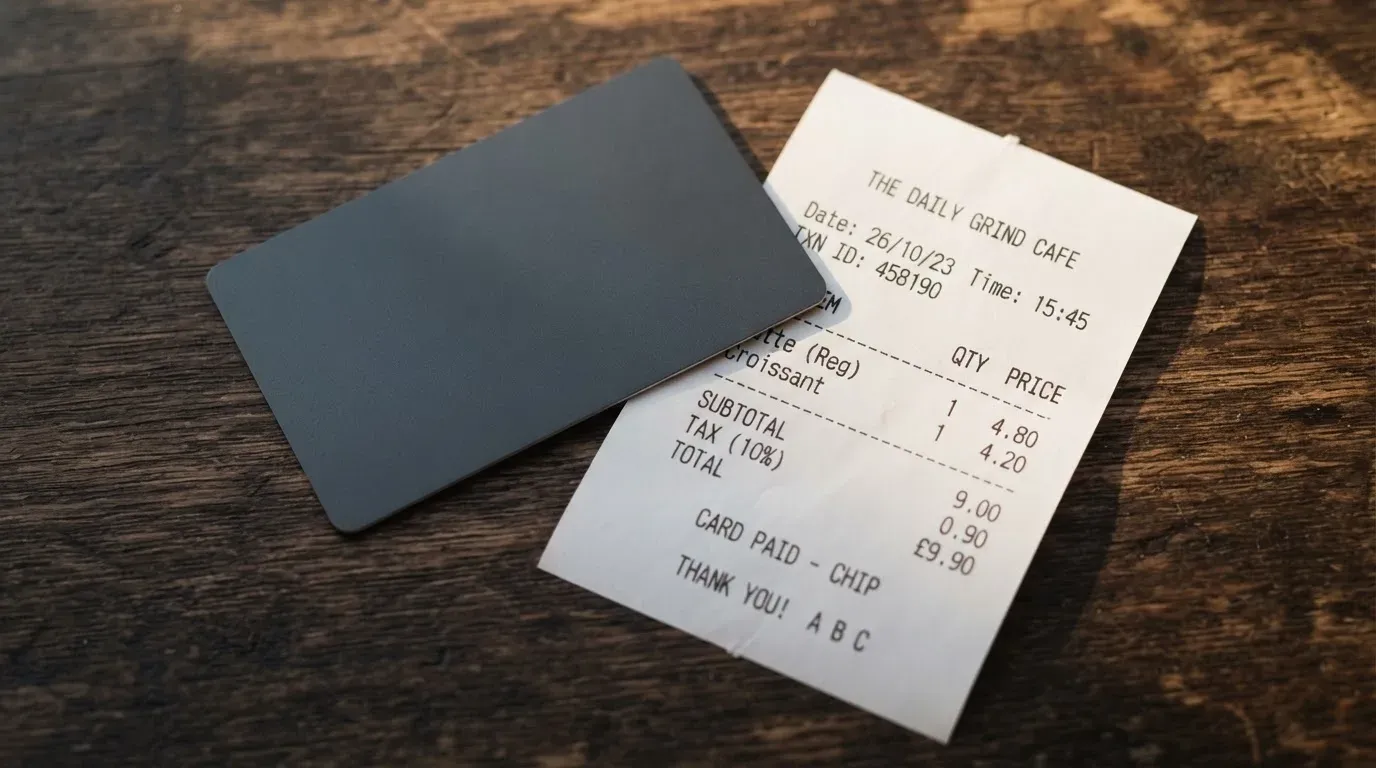
Who the card suits: an existing Exodus wallet user in Europe or Latin America who wants to spend USDC or USDT without giving up self-custody, and who is comfortable with a product whose back office is still settling. Who it does not suit: someone outside the 42 listed countries, a US resident in Vermont, anyone who needs a card with a PIN, or a heavy spender looking for the cheapest cashback around — at the time of writing the 3% Metal cashback is capped at the first $10,000 spent per year, after which it drops to 1%.
| Criterion | Mark | Why it matters |
|---|---|---|
| Who can get it | 7 / 10 | Supported in 42 countries: Europe, Canada, USA (except Vermont), Mexico, Brazil, Argentina, Colombia and others |
| Cost | 7 / 10 | Free tier $0/year; non-home-country spend 1% on Free; ATM 2%; stablecoin in a non-home currency 0.5% |
| Top-up options | 9 / 10 | USDT and USDC on multiple networks (Solana, Ethereum, Arbitrum One, Base, BNB Smart Chain, Polygon); plus debit card and Apple Pay |
| Reliability and complaints | 5 / 10 | Issuer Monavate Ltd (FCA) and operator Baanx, both acquired by Exodus on 1 May 2026; Monavate reportedly cannot issue to new European clients; 25% workforce cut; Exodus Trustpilot score 4 out of 5 from thousands of reviews |
| Everyday use | 6 / 10 | Virtual and physical (Metal) cards; ATM at 2%; Apple Pay listed for funding; no PIN support |
| Total | 6.8 / 10 |
Who they will give the card to
The list of supported countries is unusually specific. At the time of writing, the Exodus Card is available in Andorra, Argentina, Austria, Belgium, Bosnia and Herzegovina, Brazil, Bulgaria, Canada, Colombia, Croatia, Cyprus, Denmark, Finland, France, Germany, Gibraltar, Greece, Guatemala, Hungary, Iceland, Ireland, Isle of Man, Italy, Jersey, Liechtenstein, Lithuania, Luxembourg, Malta, Mexico, Netherlands, Niger, Norway, Poland, Portugal, Romania, Slovakia, Slovenia, Spain, Sweden, Switzerland, the USA (excluding Vermont), and Uruguay. That is 42 jurisdictions, with the conspicuous absence of the UK, Australia, New Zealand, Japan, Singapore and most of the Middle East and Africa.
There is one subtle but important detail in that list. Even where the card is “supported”, the card pages say nothing about which nationalities are accepted, and a separate user report from a secondary source (unofficial, not confirmed by the card itself) suggests that residents of some countries on the list have still been declined because the ID they hold is from a different region. If you hold citizenship of a country that is not on the list and you live in one that is, the safer assumption is that you may not pass.
A few practical consequences follow. The card is not available to Vermont residents at all — that is the one US state carved out of an otherwise national rollout, presumably because of state-level money-transmitter rules. If you live in any other US state, you are fine for residency, but the user reports suggest that the card programme is currently not open to new US customers either. The newer help article does not expand on this, and the public pages I could read did not give a current status. If you are applying from the US, expect to find the application closed or on a waitlist.
A note on “support” versus “delivery”: the company has not published a separate list of countries it can ship physical cards to, so the support list is the best proxy. If you are reading this from a country not on the list, the card simply is not a product for you.
The card is a debit card, not a credit card. That matters because there is no credit line, no minimum payment, and no interest — every purchase is settled against a balance you have already provided.
How to get it
The sign-up flow is, in order: a phone number that can receive a code by WhatsApp or SMS, email verification, then an in-app ID check. Identity verification is required for the card, for cash deposits and for redeeming points — you cannot get the card without it. If you are migrating from the older Spend Card, you do not need to re-verify.
What the help pages do not say is just as useful to know. They do not state which documents are accepted, which countries’ IDs they read, what the processing time is, or what would cause a rejection. There is no published “rejected? here’s what to do” page. The “Apply” button is gated by the country check, so if your country is on the supported list, you should at least be able to start; if it is not, the button is greyed out.
The newer help pages around the card itself were blocked at the time I checked them, so I cannot tell you what the in-app screens look like for the new Exodus Pay branding. The older Spend Card product was a virtual Mastercard. The terms I read describe both a virtual card and a Metal physical card.
Delivery and replacement, from the published terms: the Metal card ships free of charge (delivery expected 6-8 weeks after purchase). There is no published free-tier replacement fee — the terms do not give one. A replacement Metal card costs $99. If you want to keep using the card while you wait for the Metal to arrive, a virtual card is available alongside the physical one from the start.
Two things that often surprise people at this stage. First, the card is non-US-denominated in your local currency (or in USD for US cardholders), but the balance the card draws from is held as USDT, USDC or XO Cash on the Solana network, converted at the moment of purchase. Second, the card has no PIN. At a terminal that prompts for one, the published wording says the user “may be able to confirm without one” — which in practice means contactless should work, but unattended kiosks that insist on a PIN may decline.
What it really costs
Costs are where the picture gets interesting, because the headline $0 annual fee is real, but the structure underneath is layered. Two tiers, two sets of numbers, and a foreign-currency fee that behaves differently depending on which version of the terms you read.
| Fee or limit | Amount |
|---|---|
| Free tier annual subscription | $0 |
| Metal tier annual subscription | $199/year (auto-renews; cancel within 14 days for a refund) |
| Metal card replacement | $99 |
| Cross-border (merchant outside cardholder country) on Free | 1% |
| Cross-border on Metal | None (subject to fair-use policy) |
| ATM withdrawal on Free | 2% (operator may charge extra) |
| ATM withdrawal on Metal | No fee up to $1,200/month, then 2% |
| Stablecoin top-up in a currency that is not the cardholder or merchant country | 0.5% |
| DeFi or yield tokens | No fee up to $1,200/month, then 0.5% |
| Other cryptocurrencies (e.g. wETH) | 0.875% |
| Network gas (blockchain fee) | Small variable, typically around $0.01 |
| Daily card purchase limit | 9,500 USD (global); 15,000 USD (US) |
| Per-transaction limit, Free | $10,000 |
| Per-day limit, Free | $15,000 |
| ATM limit, Free | $1,000/day |
| Per-transaction limit, Metal | $20,000 |
| Per-day limit, Metal | $30,000 |
| ATM limit, Metal | $1,000/tx, $5,000/day |
Three everyday payments, walked through. The point is not to add these up — the point is to see which line items actually fire on a normal purchase.
A coffee in your home country, paid in your home currency. You send USDC on Solana from your Exodus wallet to the card’s Solana balance (network gas, typically around $0.01), the card converts USDC to local currency at the Mastercard rate, the purchase posts. Fees in play: the blockchain gas, and whatever spread Mastercard takes on the conversion. The terms say neither Baanx nor Exodus will charge an additional currency conversion fee on a home-currency purchase. For a $5 coffee, the only friction is the gas fee on the USDC transfer — and that is paid once per top-up, not per purchase.
A £60 restaurant bill in London, paid on a Free card issued in Germany. The card converts USD to GBP at the Mastercard wholesale rate, and because the merchant country is not your cardholder country, the Free tier’s 1% cross-border fee applies. So your £60 becomes roughly $75 at the network rate plus $0.75 in fees, converted back to £60-something at the next day’s rate. The newer Exodus Pay article does not mention a separate FX fee; the older Baanx-era terms say “no additional currency conversion fee” beyond the Mastercard rate. The net cost on this example is about 1% — less than most travel cards, but not zero.
A $200 cash withdrawal in Thailand from a Free card issued in Brazil. The 2% ATM fee is $4. The Thai ATM operator will almost certainly charge its own foreign-currency fee on top, which the card does not control. The Free tier caps ATM withdrawals at $1,000 per day, so you could do five of these a day before hitting the limit. A Metal cardholder would pay zero on the first $1,200/month and then 2%, but the operator’s fee is still on top.
A few things that are simply not stated. The card terms I read do not give a percentage for foreign-currency conversion. They say “Mastercard converts at its wholesale rate” and “no additional currency conversion fee”, which is the standard industry phrasing for a rate the issuer will not commit to in writing. If you care about a tight FX spread, that is something to test with a small purchase before relying on the card abroad. The ATM operator’s surcharge is also out of the card’s hands — you can only see it at the ATM.
The free tier is genuinely free to hold, and the per-purchase fees are competitive for a crypto card. The Metal tier at $199 a year is harder to justify unless you are spending heavily abroad and on Metal-cashback-eligible categories, because the 3% cashback is capped at $10,000 of annual spend.
How to top it up
Topping up starts with a transfer to the right network, and the network choice is the part most people get wrong on their first attempt.
The card draws from the Exodus Pay balance on Solana, in this order of preference: USDT, USDC, then XO Cash. A single purchase must be covered by a single asset — you cannot blend USDC and USDT on the same swipe. If you hold a mix in your Exodus wallet, the app picks the first asset in the order that has enough balance.
USDC is accepted on six networks: Solana, Ethereum, Arbitrum One, Base, BNB Smart Chain, and Polygon. USDT is accepted on five of those: Arbitrum One, Solana, Ethereum, BNB Smart Chain, and Polygon. If you have USDT on Tron, it will not arrive — the terms do not list Tron, and Tether’s own support article makes it clear that USDT-TRC20 is a different token from USDT on other networks, even though the ticker is the same. Sending USDT-TRC20 to a Solana address will result in a lost transfer with no recovery path, because blockchain transfers are not reversible.
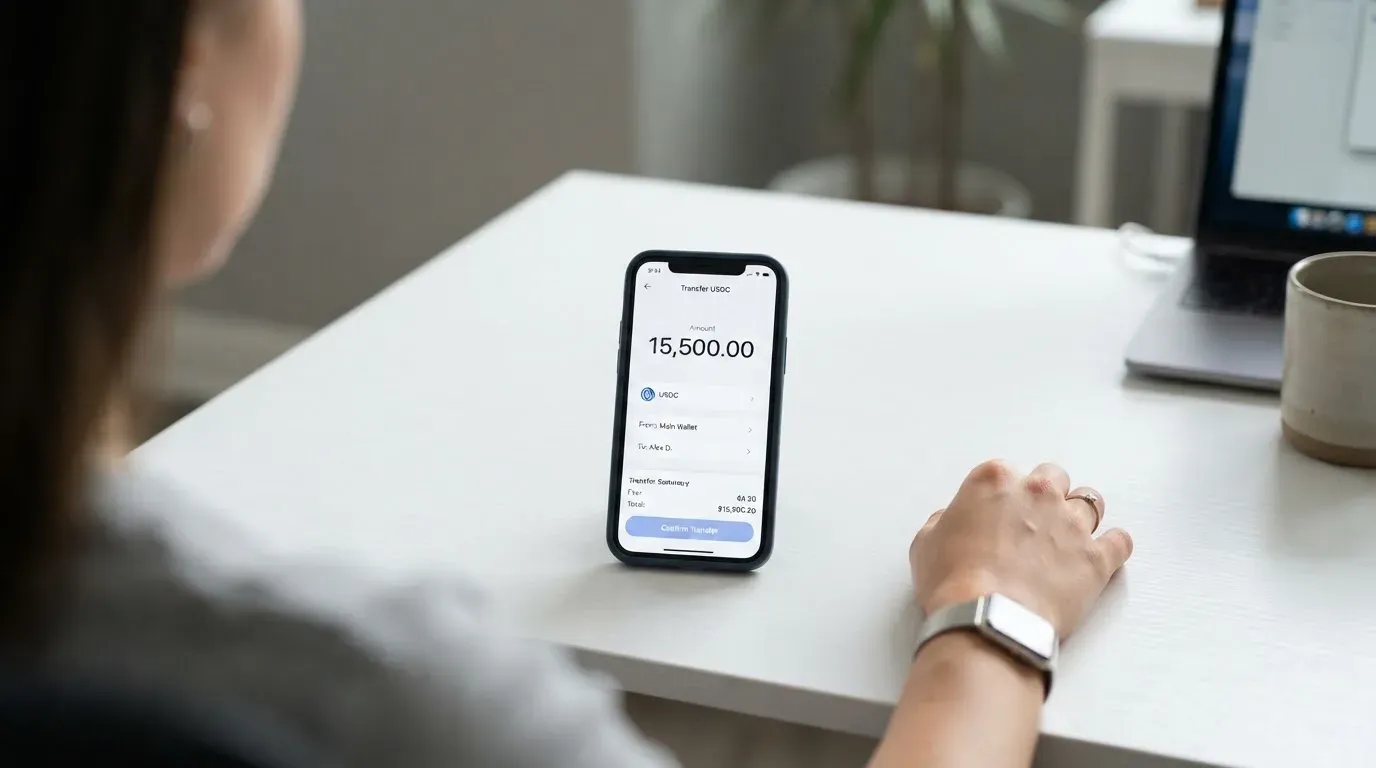
Two other ways to load the card, both for buying crypto to spend: a debit card, and Apple Pay on iOS. The published help pages describe the funding flow but do not list the percentage fee on these funding routes, so the only way to know what they cost is to attempt one in the app.
A quick reference of what the published terms charge on the funding side, to compare against the costs table above:
- Stablecoin deposit in a currency that is not the cardholder or merchant country: 0.5%
- DeFi or yield tokens: no fee up to $1,200/month, then 0.5%
- Other cryptocurrencies (e.g. wETH): 0.875%
- Network gas: small variable, typically around $0.01
There is no minimum balance on the card. The balance lives in your own self-custody wallet, not in an account the card provider holds, which leads to an unusual property for a prepaid card: there is nothing to “withdraw” from the card, because nothing was deposited to the card. Your crypto stays in your wallet. Refunds from a purchase are credited back to the Card Account (the off-chain fiat balance the card draws on) and may be unavailable for up to five days while the network settles. If you close the Card Account, the published terms say you can ask for a check for the remaining Card Account balance, for a fee the terms do not name.
Paying with it every day
The card is a Mastercard debit, accepted wherever Mastercard is taken. Both virtual and physical cards are available. The Metal physical card is the one with a waitlist and the longer delivery time (6-8 weeks after purchase). The virtual card is the one you would use for online shopping or to add to a mobile wallet.
Adding to Apple Pay works for funding — that is, buying crypto to top up the card — and the help pages describe that flow. Whether the card itself can be tokenised into Apple Pay for in-store payments is not made explicit in the public materials I could read. If the Metal card can be tokenised, that would partially make up for the lack of PIN support, because Apple Pay on a terminal lets you authenticate with Face ID or fingerprint and bypass the PIN prompt. This is a “check in the app” point rather than a “trust the marketing” point.
The PIN situation is worth pausing on, because it is the single most common source of complaints I have seen for crypto cards. A PIN is required for cash advances at ATMs, for offline transactions, and at any unattended terminal (parking meters, fuel pumps, train ticket machines). The published wording — that the user “may be able to confirm without one” at a PIN prompt — suggests contactless will work, but does not promise it everywhere. If your daily life involves a lot of unattended terminals, treat the lack of PIN as a deal-breaker until you have tested the card at the specific terminals you use.
Cashback and rewards, on the Metal tier: 3% on the first $10,000 of eligible spend per year, then 1%. The terms reserve the right to pause or terminate the rewards programme, which is worth bearing in mind if your decision to upgrade to Metal rests on the 3%. On the Free tier, no cashback is published. A separate press release describes a regional offer: from 1 July 2026, cardholders in Argentina, Brazil, Mexico, Colombia and Uruguay could pay DGO and SKY+ subscriptions with the card, with new customers in those countries eligible for a 25% cashback offer subject to terms. That is a local promotion, not a global cashback rate, and the headline 25% is conditional.
The Exodus app holds a 4.6 out of 5 rating on the App Store from about 38,000 ratings, which is a strong score for a crypto app and matters because the card is managed inside the wallet. The Google Play rating was not read in time for this review. If you are on Android, check the current rating before relying on the app for daily use.
Disputes and refunds are handled through the terms. A refund is credited to the Card Account, which may be unavailable for up to five days. Liability for an unauthorised transaction is limited to the face amount plus any fees, which is the standard EMI wording. Disputes with the programme manager go to arbitration under Delaware law, with a class-action waiver. This matters if you ever need to sue: you are agreeing to do it individually, in Delaware, in arbitration. The terms do not give a chargeback time window — for context, US debit card reversal rights come from Regulation E and credit card rights from Regulation Z, but Exodus’s own time limit is not published.
What can go wrong
The risks here come in three flavours: the company, the product, and the category.
The company side has moved a lot in 2026. Exodus Movement completed its acquisition of Monavate Holdings (the issuer, Monavate Ltd, an FCA-authorised e-money institution based in Cambridge UK) and Baanx (the programme manager) on 1 May 2026. The shares were acquired from receivers after a W3C loan default; the deal had been announced in November 2025 at $175 million. Q2 2026 results mention a 25% workforce cut. The CEO has reportedly said that Monavate cannot issue cards to new European clients, in connection with a Bank of Lithuania inspection of Monavate UAB in late 2025. The newer help article confirms that new US card issuance is not open.
Put that together and you have a freshly-acquired issuer, a regulator-overseen restriction on new European sign-ups, a US sign-up path that is also currently closed, and a smaller workforce to run the product. That is not the same thing as the card being unsafe to use — your existing card should still work, and the issuer is still FCA-authorised — but it is the single biggest reason the reliability score in the verdict table sits at 5/10 rather than higher.
The product side: the user reports. On Trustpilot, exodus.com holds around 4 out of 5 from about 4,380 reviews. The themes that come up (per a kimola analysis) are blocked transactions, high fees, and unresponsive support — but these are wallet themes, not card-specific. I did not find dedicated complaint threads about the card, and Reddit searches for “Exodus card problems” did not surface a clear pattern. One user report mentions a debit card validation failure that was fixed after escalation, which is consistent with a product still being ironed out. The company replies to 93% of negative reviews, which is a reasonable signal that the support inbox is monitored.
Security on the card itself is built around self-custody. Your funds stay in your own wallet until the moment of payment, the card has a freeze button in the card dashboard, you can set a spending limit, and you can add or remove wallets. You are told to report a lost or stolen card immediately. The newer Exodus Pay balance lives on Solana (see the top-up section), and the custody wording for that specific balance is not stated in the public materials I could read. There is no mention of insurance covering unauthorised transactions, and the unauthorised-transaction liability in the terms is capped at the face amount plus fees. For context, US debit card liability is normally capped at $50 if you notify the bank within two days, under Regulation E; EU rules are similar under PSD2. The Exodus terms do not promise either of those caps, so read them as “the issuer will handle it within the standard EMI framework, but the precise cap is not stated”.
Support channels, from the card terms: a Metal or replacement request goes to [email protected], issuer queries to [email protected], and there is a toll-free number on the back of the card.
The category side. Crypto cards in general carry risks the card itself does not control:
- Stablecoin depegging: USDT and USDC are US-dollar-pegged, but “stablecoin” is a description, not a guarantee. USDC temporarily lost its peg in March 2023 during the US banking crisis; TerraUSD collapsed in May 2022.
- Network risks: if you send on the wrong network, the funds are typically unrecoverable. Circle stopped supporting USDC on Tron in February 2024, so any “USDC on TRC20” you may see in the wild is not native USDC and will not work with the card.
- Issuer programme closures: card programmes can be wound down. Visa terminated its global agreements with FTX on 13 November 2022, and the FTX US debit card was wound down by its issuer. WaveCrest, a Visa card issuer that supplied several crypto card brands, was suspended by Visa in Europe in 2018 and closed all WaveCrest-issued Visa programmes. Programmes that close typically give a notice period, stop new loads, then ask users to withdraw remaining balances.
- Sanctions and freezes: Tether says it disables tokens in wallets on the OFAC sanctions list and has frozen funds tied to illicit activity. “Stablecoin” does not mean “censorship-proof”.
- Tax events: in the US, the IRS treats digital assets as property, so exchanging crypto for goods or services generally produces a taxable gain or loss, with gain measured in local fiat at fair market value on the date of the transaction.
What to take instead
If the Exodus Card does not fit — wrong country, no PIN, you want stronger cashback, or you want a different custody model — here is how three alternatives stack up. These scores are from the same review framework, not the Exodus score.
MetaMask Card — 7.1 / 10
The MetaMask Card is a Mastercard debit, with a virtual card issued first (instant) and a Metal card available to pre-order in the app after the virtual is approved. One card per user. The issuer is Monovate, with Crypto Life as the card provider. The card spends directly from the connected wallet on Linea, Base, Monad, or Solana, with nine supported tokens named on the page (mUSD, wETH, EURe, GBPe, USDC, USDT and others). It is sign-up open in 45 listed countries and territories (Andorra, Argentina, Brazil, Canada, Mexico, Germany, France, Spain, Uruguay, among them); other regions join a waitlist. Ineligible regions limit sign-ups, not spending. US and UK sign-ups were temporarily closed at the time the FAQ was read.
On cost: the virtual card is free, with no annual or maintenance fee. The Metal is $199 a year. There is a “minimal fee for each transaction” (the page does not give the percentage), no MetaMask fee, and no foreign transaction fee — Mastercard’s rate is used.
On cashback: Virtual 1%, Metal headline 3% but limited to the first $10,000 spent then 1% (the same shape as Exodus’s Metal). There is also a $FLY bonus of 5X (Virtual) or 7X (Metal) via the Blackbird dining app.
Compared with Exodus: MetaMask has a larger country list, an instant virtual, and a similar Metal economics profile. It does not run on USDC/USDT across the same six networks, and it does not describe itself as self-custody in the same way — the MetaMask card is a separate product, while the Exodus card pulls value from the user’s own Exodus wallet.
KAST — 6.1 / 10
KAST is a Visa card with three tiers: Standard ($0 annual), Premium ($1,000/year) and Private ($10,000/year, billed annually upfront, no monthly option). Virtual and physical cards, up to 10 per user. Card types include Visa Platinum, Visa Infinite metal, and Visa Infinite gold-plated, plus themed designs (Pengu, Solana, Bitcoin). The account balance is in USD, with stablecoin deposits converted 1:1 at 0% spread.
On cost: stablecoin top-ups are 0%, USD card spend 0%, transaction fee 0%, Apple/Google Pay 0%. Non-USD FX is 0.5% to 1.75% depending on residence country, transaction country and card programme. Non-USD transactions under $25 carry a $0.10 fee. Declined transactions for insufficient balance are $0.50. Extra virtual cards cost $2 (and in some regions $2 also on the included Standard virtual cards); the Standard physical card is $0 card fee plus $40 delivery, with Premium and Private physical cards included. An inactivity fee of $1/month kicks in after 12 months. Funding tokens: USDT, USDC, PYUSD, RLUSD, on Ethereum, Solana, Polygon, Arbitrum, TRON.
On rewards: USD cashback Standard 1.5% on first $2,000/month, Premium 2% on first $10,000/month, Private 3% on first $40,000/month. KAST Points: Standard none, Premium +1%, Private +2% of eligible spend. Cashback is paid in USD when the transaction is authorised.
Compared with Exodus: KAST has zero FX spread on stablecoin top-ups, higher cashback rates at the top tier, and a stablecoin token list that includes PYUSD and RLUSD. It costs more at the Premium and Private tiers and the residency/KYC rules are tighter — KAST’s country list is not published; it shows a residence-based list at KYC, and dual citizenship with an ID from a restricted region can still fail.
TokenPocket — 5.8 / 10
TokenPocket offers a TP Card that runs on Arbitrum. A Visa debit covers a list of European countries and territories (Germany, France, Spain, Switzerland and others); a Mastercard debit covers Australia, Canada, Hong Kong, Japan, Taiwan, New Zealand, Singapore, South Korea, the UK and others. The Americas launch was described as “planned for Q2 2025”.
The cards are described as Fiat24 cards, which are virtual only (no physical card mentioned in the materials I read). Balances are held in EUR24 and USD24. On cost: there is an NFT creation fee that is partly covered by TokenPocket (the user pays “a small portion” — the amount is not stated); “apart from these, TP Card does not charge any additional fees”. On funding: a 1% fee is charged when depositing cryptocurrency into the TP Card, which the FAQ says will later be refunded through rewards or reduced transaction fees. FX is not stated.
Compared with Exodus: TokenPocket has a smaller country list and a less mature product (virtual-only, Americas launch still in planning at the time the page was written). The 1% deposit fee is unusual and only “later” refunded, so it is a real cost in the meantime. It earns its place here as an option for users already on the TokenPocket wallet who want a card without leaving the Arbitrum ecosystem.
How they compare
| Card | Score | Annual fee | FX approach | Networks | Top cashback |
|---|---|---|---|---|---|
| Exodus Card | 6.8 / 10 | $0 (Free), $199 (Metal) | Mastercard wholesale rate, no extra fee stated | USDC/USDT on Solana, Ethereum, Arbitrum One, Base, BNB Smart Chain, Polygon | 3% on first $10,000/year (Metal) |
| MetaMask Card | 7.1 / 10 | $0 (Virtual), $199 (Metal) | Mastercard rate, no foreign transaction fee | Linea, Base, Monad, Solana | 3% on first $10,000 spent then 1% (Metal) |
| KAST | 6.1 / 10 | $0 / $1,000 / $10,000 | 0.5%–1.75% depending on country/programme | Ethereum, Solana, Polygon, Arbitrum, Tron (USDT, USDC, PYUSD, RLUSD) | 3% on first $40,000/month (Private) |
| TokenPocket TP Card | 5.8 / 10 | Not stated (virtual only) | FX fee not stated | Arbitrum | 1% deposit fee, refund “later” via rewards |
Who I would recommend it to
My honest read: the Exodus Card is a sensible pick if you are already an Exodus wallet user, you live in one of the 42 listed countries, you hold USDC or USDT and you want to keep custody while you spend. The self-custody model is the genuine differentiator, and the network coverage for USDC and USDT is broader than what MetaMask or KAST offer.
It is a worse pick if you are outside the supported list, if you are a US resident (where new sign-ups are not open at the time of writing), if you need a PIN, or if you want a card from a brand with a stable operating history. The freshly-completed acquisition of the issuer, the reported restriction on new European card issuance, and the 25% workforce cut mean the back office is in transition, and the user reports do not give a strong counterweight to that signal.
For most readers, the practical test is this: open the Exodus app, attempt to add the card, and see whether the country check passes and the KYC accepts your documents. If both pass, the Free tier costs nothing to hold, and the only risk in trying is a few minutes of identity verification. If either fails, the MetaMask Card is the next card to look at, with a wider country list and a more polished sign-up flow, at the cost of giving up the self-custody-from-your-own-wallet model.
Frequently asked questions
What is the Exodus Card?
The Exodus Card is a Mastercard debit card linked to your Exodus wallet. When you pay, the card converts USDC, USDT or XO Cash from your self-custody wallet into the merchant’s currency at the Mastercard rate, and the merchant receives a normal card payment. You keep custody of the underlying crypto the whole time.
How does the Exodus Card work?
You top up by sending USDC or USDT to the card’s Exodus Pay balance on Solana, or by funding with a debit card or Apple Pay. At the moment of purchase, the card draws from that balance, converts to the merchant’s currency, and settles through Mastercard. The card is debit-only, so it cannot overdraw.
Is Exodus a bank?
No. Exodus Movement is a software company that makes the Exodus wallet. The card itself is issued by Monavate Ltd, an FCA-authorised e-money institution, with Baanx as the programme manager. Both Monavate and Baanx were acquired by Exodus on 1 May 2026. Funds on the card are e-money, not bank deposits.
Is the Exodus Card available in my country?
The card is supported in 42 jurisdictions, including most of the EU, Canada, the USA (except Vermont), Mexico, Brazil, Argentina, Colombia and Uruguay. The list excludes the UK, Australia, New Zealand, Japan, Singapore and most of the Middle East and Africa. Even where the country is listed, the published materials do not say which nationalities are accepted.
Does the Exodus Card require KYC?
Yes. Identity verification is required for the card, for cash deposits and for redeeming points. The flow is a phone number that receives a code by WhatsApp or SMS, email verification, and an in-app ID check. The help pages do not list accepted documents, processing times or rejection reasons.
How do I top up the Exodus Card?
Send USDC or USDT to the Exodus Pay balance on Solana (or on Ethereum, Arbitrum One, Base, BNB Smart Chain or Polygon, depending on the token). You can also fund with a debit card or Apple Pay on iOS. A single purchase is covered by a single asset — USDC, USDT or XO Cash — in that order of preference.
How do I withdraw money from the Exodus Card?
You do not, in the usual sense. The funds stay in your self-custody wallet; nothing is held on the card. Refunds from purchases are credited back to the Card Account and may be unavailable for up to five days. If you close the Card Account, the terms let you request a check for the remaining Card Account balance, for a fee the terms do not name.
Is the Exodus Card free?
The Free tier has a $0 annual fee. The Metal tier is $199 a year, auto-renewing, with a 14-day refund window. There is a 1% cross-border fee on the Free tier when the merchant is outside your cardholder country, a 2% ATM fee on the Free tier, and a 0.5% fee on stablecoin top-ups in a currency that is not the cardholder or merchant country. The Metal tier has no cross-border fee (fair-use policy) and no ATM fee up to $1,200 a month.
Is the Exodus Card safe?
The card spends from a self-custody wallet, with card-freeze and spending-limit controls in the app. The issuer is FCA-authorised. The published terms cap unauthorised-transaction liability at the face amount plus fees, and do not promise insurance. The recent acquisition of the issuer and programme manager, the reported restriction on new European sign-ups and the 25% workforce cut are all factors to weigh on the “company” side of safety.
How do I add the Exodus Card to Apple Wallet?
The published help pages describe Apple Pay as a way to fund the card (buying crypto to top up the balance) on iOS. Whether the card itself can be tokenised into Apple Pay for in-store payments is not made explicit in the public materials I could read. The in-app card dashboard is the place to check for the current tokenisation options.
Wallet cards: your questions answered – cryptocardanswers
Content created by the «cryptocardanswers» team