
A small Hong Kong virtual card that is light on published information
 Available in US
MothCard is a virtual payment card that draws on a crypto balance. You top up a wallet in the app, move funds onto the card and spend the result like any Visa or Mastercard number, online and through Apple Pay or Google Pay. The pitch is simple: a global card funded in USDT, with no need for a traditional bank account. In practice, much of what you would normally want to check before signing up is not in writing. Fees, limits, the issuing bank and the licences behind the card are not stated on MothCard’s public pages; you only see them once you are inside the app. I have gone through what the company publishes, the App Store listing and the Terms of Service and pulled together what is confirmed, what is missing, and who this product actually suits. The short version is in the verdict below; the longer walk-through starts with who MothCard will and will not issue to.
The conditions described here are current as of October 28, 2026.
Verdict
MothCard scores 5.4 out of 10 in my review. The card does what it says on the tin: a virtual Visa or Mastercard, USDT in, fiat out, available through mobile wallets. But the package is light on transparency, and that drags the score down. Acceptance is global in principle, the wallet and card app is available on iOS and Android, and the on-ramp is the stablecoin most people in crypto already hold. The downside is that a lot of ordinary questions — what does it cost to spend, what is the ATM situation, who issues the card, where is the licence — have answers that are either not stated or hidden behind a sign-in. If you already keep USDT on a phone and want a quick virtual number for online checkout, MothCard is plausible. If you need a published fee schedule, a named issuer or a card you can hold in your hand, it is not.
Here is how the score breaks down by criterion.
| Criterion | Mark | Why |
|---|---|---|
| Who can get it | 6 / 10 | Marketed as accepted worldwide, but country and region restrictions exist and are not listed publicly |
| Cost | 5 / 10 | Fees for issuing and maintenance are confirmed, but the actual numbers are only shown in the app |
| Top-up options | 5 / 10 | USDT is named; other coins and networks are visible only after sign-in |
| Reliability and complaints | 5 / 10 | No public incidents found, but the issuing bank and licences are not named |
| Everyday use | 6 / 10 | Apple Pay and Google Pay work; the card is virtual and ATM use is not stated |
| Total | 5.4 / 10 |
Who it suits: anyone who already uses USDT and wants a quick virtual number for online payments, with Apple Pay or Google Pay for in-store checkout. Who it does not suit: anyone who needs a physical card, a published fee schedule, a named bank issuer or a clear answer about licences and custody before they sign up. I would also hesitate to recommend it as a primary card or as a place to park a balance you cannot afford to lose.
Who will they give you the card
The Terms of Service place MothCard under Hong Kong law, and the company behind it, Hong Kong Yunmo Technology Co., Limited, is registered in Tsim Sha Tsui. The marketing on the site says the card is “accepted worldwide,” but the same wording adds that “some countries or regions may have restrictions.” There is no public list of those restrictions; the issuing region is described as depending on the card you pick and is shown inside the app once you sign in. A few cards are selectable in-app, and they have different issuing regions, so the country you actually end up with on the BIN is not something you can check in advance.
The one-time identity check is the next gate. The app asks for one valid personal ID — the type is shown in-app per country — and in some cases a face scan. The App Store rating is 18+, which is the usual floor for a financial product, but the Terms of Service themselves do not state a minimum age. A proof-of-address document is not mentioned. Because the issuing bank and the licences behind the card are not named on the public pages, there is no way to tell from outside whether a given country is excluded for licensing reasons, sanctions reasons, or commercial ones. If you are in a country where card programmes are typically restricted — for example, the United States, where crypto card programmes have been pulled repeatedly in the past, or countries under broad sanctions — I would not assume eligibility until the app confirms it for you personally.
There is also a wider point. The card is sold as global, but the entity behind it is a single Hong Kong company, and the BIN on the card is issued through a partner scheme (Visa or Mastercard, the company says). The scheme sets the rules of the road, and the issuer — whichever bank or e-money institution is actually putting the card numbers on the network — has its own risk policy. That second layer of country rules is what makes a “worldwide” card sometimes decline at checkout. The Terms of Service acknowledge the gap between marketing and reality by leaving the region to the app, which is honest but not very helpful before you commit.
How to get it
The flow described in the app and on the site is: sign in, choose a card, verify your identity, top up the wallet, then move funds onto the card and start spending. Each step is a screen, and each step is gated. There is no physical card to wait for — MothCard is a “crypto virtual card for global payments,” so once your identity is verified and the balance is loaded, you have a card number immediately.
A few practical points follow from the way the flow is described.
- The sign-in itself is light. You can use email, Apple or Google, and once you are in you can turn on Face ID or a fingerprint for the next launches. The card details — full number and CVV — only appear after you re-confirm your identity, and they are hidden again when you close the view. That is a sensible design for a virtual card.
- The identity check is the chokepoint. The company says “just one valid personal ID” and shows the accepted types in-app by country. A face scan is added in some cases, presumably where the ID is harder to verify. If your country is one where local ID rules are strict, expect to be asked for more.
- After the ID clears, you choose a card. The app shows several options with different issuing regions, and that is the only place the region is named. You cannot compare them on a public page.
- Top up the wallet, then move funds onto the card. The App Store listing names USDT as the deposit token, and the app shows the network to use for the transfer. Other coins and other networks are visible in-app but are not listed publicly.
- The first time you use the card at a checkout, 3-D Secure may prompt you, depending on the merchant and the issuer. This is a network-level step, not a MothCard step; it asks the issuer whether the transaction looks like yours, and may push a one-time code to the app or your phone.
The whole flow is, in principle, fast. In practice, the parts that are slowest — the ID check, the network confirmation, the funding transfer — are the parts where a mistake is hardest to fix. A wrong network on a USDT deposit is the classic way to lose funds, and the support channels, while present, do not publish response times.
What it really costs — fees and limits
This is the section where MothCard is at its thinnest. The company confirms that “there are fees for issuing and maintaining a card,” and that is as far as the public information goes. The amounts — the issuance fee, the monthly maintenance fee, the cost per transaction — are described as shown inside the app, not on a fee schedule. If you are the kind of person who decides whether to use a card by reading a fee page first, this is the part that will put you off.
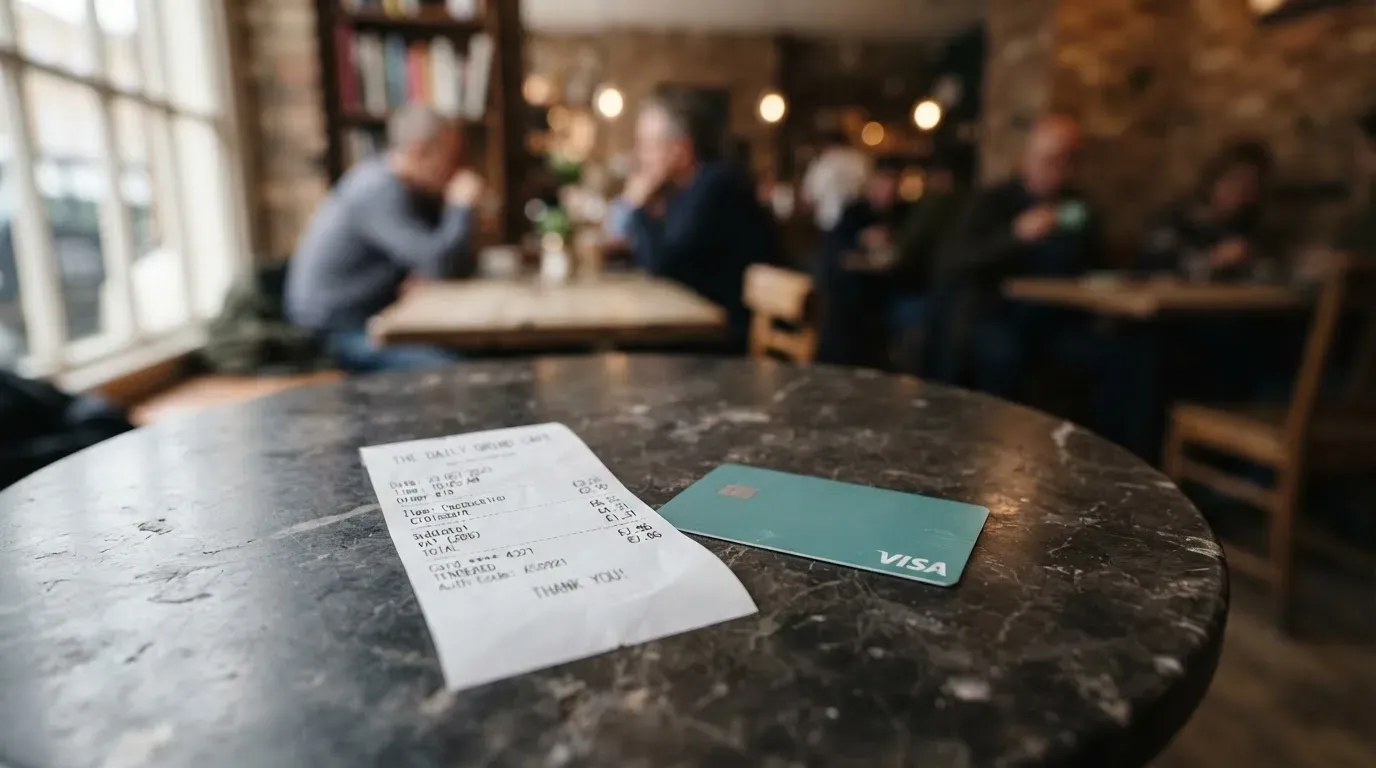
What is known is the shape of the cost, not the numbers.
- Issuance fee. Charged when the card is created. Amount not published.
- Maintenance fee. Charged while the card is open. Amount not published.
- Conversion fee. Cards settle in USD, and the wallet and card balances are shown separately, so there is a conversion step somewhere. The rate used, and any fee layered on it, is shown in the app per transaction, not in advance.
- FX fee. When you spend in a currency that is not the card’s settlement currency, an FX mark-up applies in most programmes. The rate and any fee for MothCard are not published.
- ATM fee. Not stated. The card is described for online payments, which suggests ATM is not a primary use case.
- Top-up / deposit fee. Not stated. The minimum and the fee structure appear on the in-app confirmation page, not in the Terms of Service.
- Spending limits. Per-transaction, daily and monthly limits apply. “Refer to the App for the exact amounts” is the only line on the subject.
| Fee or limit | What is published |
|---|---|
| Issuance fee | Confirmed; amount in app only |
| Monthly maintenance fee | Confirmed; amount in app only |
| Conversion fee | Not stated |
| FX fee | Not stated |
| ATM fee | Not stated |
| Per-transaction limit | Applies; amount in app only |
| Daily limit | Applies; amount in app only |
| Monthly limit | Applies; amount in app only |
To put a few everyday payments through the lens of what is and is not known:
- Buying a €30 train ticket online with a USD-settled card. The price you see at checkout is in euros. Your card converts at the card-network rate, and MothCard may add a mark-up on top; you will see the final amount in the app after the transaction posts, not at the checkout. The network fee and the MothCard mark-up are two separate things, and only the first is fixed by Visa or Mastercard.
- A US$10 streaming subscription. US$10 to a US$10 card, no FX. The fee to watch for is the monthly maintenance fee, because it applies regardless of whether you use the card that month. If maintenance is, say, US$2 a month, a US$10 subscription has an effective cost that includes that fee before any other charges.
- A coffee paid through Apple Pay. Same card, same conversion path, but you also accept the convenience of mobile wallet tokenisation. The merchant does not see your real card number; the issuer can choose to lock the token to contactless and in-app use only. There is no extra fee for tokenisation on a MothCard, but it is worth knowing the issuer can restrict a tokenised card.
The wider point is that a virtual card with no published schedule is not a budget tool. You can only check what you have paid after the fact, by looking at the app history, which does list payments, fees and merchant refunds. If you need to plan a month in advance, this is not the right product.
Top up: how to fund the card
The funding model is the part MothCard does describe. The App Store listing says the wallet is topped up in USDT, and the in-app transfer screen shows which network to use. Other coins and other networks are visible after sign-in, but are not published on the site.
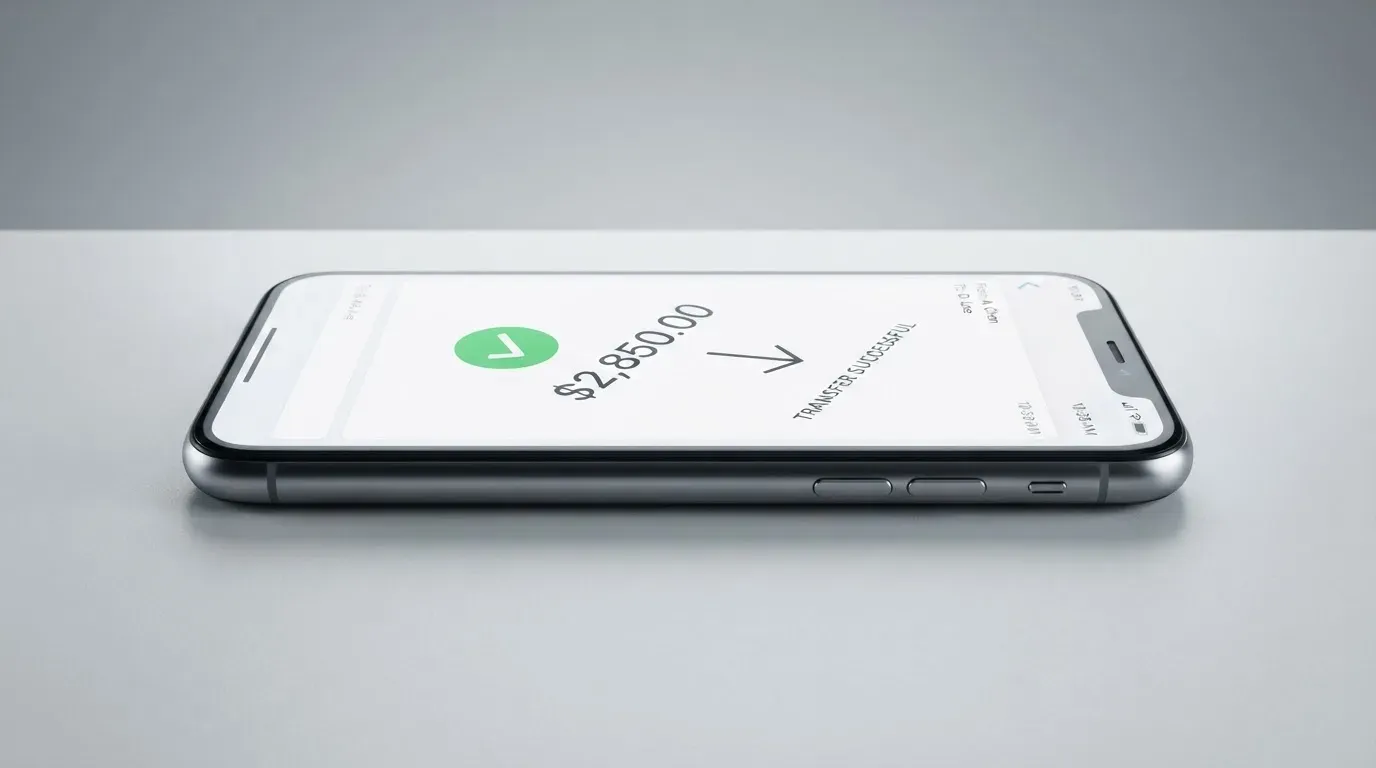
The mechanics, as the company describes them, are: top up the wallet, then move funds from the wallet onto the card. The wallet and the card are two balances, shown separately, and that split is what makes the “crypto in, fiat out” feel work — the card never sees crypto, it sees the USDT-denominated balance once it has been converted to the card’s USD settlement.
Two things to know before you send anything.
- The network is the network. The app tells you which network to send on for the coin you chose. USDT exists on several chains, and the wrong one is a classic way to lose the funds permanently; the support team cannot reverse a blockchain transfer, and recovery is at best a manual ticket. Treat the in-app network selection as binding.
- You need gas to send. On Ethereum-style networks, fees (gas) are paid in ETH, not USDT. A wallet that holds USDT but no ETH will fail to send. The app should warn you about this, but if you are funding from an exchange, double-check that the network you choose lets you pay the fee in a token you actually hold.
Beyond USDT, the company’s general rule is “you used the network shown in the App.” That wording leaves the list of supported coins and chains to the app. If you only hold Bitcoin or a non-stablecoin, the conversion rate at the moment of the top-up is the rate you get, and there is no preview of that rate in the published pages. For a card marketed as crypto-funded, this is the area where a bit more transparency would help.
A note on withdrawal. The app’s FAQ advises moving any remaining balance off a card before cancelling it, and moving funds out of both the card and the wallet before deleting the account. The fees for moving funds out are not stated. If you intend to keep using the balance elsewhere, plan that step before you let go of the card.
Paying with it every day
Once the card is loaded, it behaves like any other Visa or Mastercard number. You can punch the digits into a checkout, save them in a browser, or push the card into Apple Pay or Google Pay from the app. The cardholder experience is the part MothCard does describe, and it is the most polished.
- Apple Pay and Google Pay. The app supports both, with the exact wallets depending on the card you chose, again shown in-app. Tokenisation means the merchant never sees the real card number; each transaction is signed with a one-time dynamic code in the phone’s Secure Element. The card issuer can choose to lock the token to certain channels — contactless, in-app, web — and that is the issuer’s decision, not yours.
- Online checkout. The card works on any merchant that accepts Visa or Mastercard and that does not specifically block the BIN. Some merchants decline prepaid or foreign-issued cards because the BIN lookup tells them the card type and the issuing country, and that is independent of MothCard. A mismatch between the issuing country and your billing address can also trigger extra checks, including Address Verification Service where supported, and 3-D Secure where the issuer requires it.
- Blocked categories. Not stated. Some issuers block gambling (MCC 7995) or other categories by policy rather than by law; MothCard does not publish a block list. If you plan to use the card at a specific kind of merchant, the only safe way to find out is to try.
- Cashback or rewards. Not stated. The FAQ does not mention cashback, so I would not expect any. If a programme does appear later, it is likely to be in-app first.
- App quality. iOS 15.6 and above on the App Store, Google Play, plus a direct Android APK. The App Store rating reads 5.0 from a single rating as I write this, which is not a meaningful sample. Google Play rating was not obtained.
A practical day-to-day tip: keep a small buffer on the card. A declined authorisation can leave a hold on the funds for up to about a week, and on a low-balance prepaid card that hold can block the next purchase you actually want to make.
What can go wrong
The honest list of risks for a MothCard user is the list of risks for any crypto-funded card programme, plus the questions MothCard specifically does not answer.
- The issuer is not named. MothCard’s public pages do not name the bank or e-money institution that actually issues the card numbers on the Visa or Mastercard network. A crypto brand is often only the programme manager; the issuer holds the licence, and that is the entity that ultimately decides whether your card keeps working. If the issuer changes its policy on your country or your customer type, the card can stop working with limited notice. There is precedent: Visa terminated its global agreements with FTX in November 2022, and WaveCrest, a Visa issuer that supplied several crypto card brands, was suspended in Europe in 2018, closing all its programmes. MothCard’s own structure is opaque on this point, which is itself a risk.
- Licences are not named. No regulator is named, no authorisation is referenced, and no register is cited. The Terms of Service are governed by Hong Kong law, but the issuing bank’s regulator is not stated. The App Store rating of 18+ is the only age floor, and that is Apple, not MothCard.
- Custody model is not stated. The company does not say whether the wallet is custodial (the provider holds the keys) or self-custody-linked (you keep the keys and the provider only sees the deposit). The whole “send USDT to a network shown in the app” flow is more typical of a custodial wallet, but the absence of a clear statement means you are trusting the provider with the funds from the moment they arrive, with no public safeguard in writing.
- Funds are not bank deposits. Even when the card programme is run by a licensed e-money institution, those funds are not bank deposits and are not covered by deposit guarantee schemes. The crypto-funded top-ups sit in the same category.
- Blockchain risk. Crypto transfers are irreversible. A wrong network, a wrong address, a clipboard-hijack malware that swaps an address you just copied — any of these can mean a permanent loss. Stablecoins themselves are not risk-free; USDC temporarily lost its peg in March 2023, and stablecoins on the OFAC sanctions list can be frozen by the issuer, so the asset is not censorship-proof.
- 3-D Secure and AVS friction. Online merchants can decline a foreign-issued or prepaid BIN, and the issuer can require 3-D Secure. AVS is largely US, Canada and UK; foreign-issued cards often do not have an AVS match, which can cause declines.
- No public complaint record. I searched for MothCard reviews on Trustpilot and Reddit and the company did not come up with any material. That can mean the user base is small, or that the brand is new, or both. It is not, by itself, evidence of good behaviour.
- Customer support. The app has a Contact Support button, there is a Telegram bot, and the support email is [email protected]. Hours are not published, and there is no service-level commitment.
A short list of what I would check first, in order, if I were considering putting real money on a MothCard:
- The fee schedule inside the app, with the maintenance fee expressed as a monthly cost.
- The card’s issuing country and BIN, and whether that BIN is widely accepted for the kind of payments I want to make.
- The name of the issuing bank and the licence it operates under, and whether that regulator has a public register I can search.
- The custody model, and what happens to the balance if the company stops operating.
- The list of supported networks for the coin I want to use, and the cost of a test transfer before committing a larger sum.
What to take instead
MothCard sits in a small group of crypto-funded virtual cards that are built for online payments and mobile wallets, and where the cost structure is mostly shown in-app. The three alternatives below are the ones that came up in the same research; the score and the gaps are mine.
CardFlow — 4.9 / 10
CardFlow is pitched as “Nigeria’s smartest fintech card platform” and aimed at Nigerians and global users. It is a virtual USD Mastercard, and the site says it is created in about 3 minutes. Creation is described as free, with no monthly fee mentioned; the per-transaction fees are not stated. Funding is in Bitcoin, USDT, ETH or Naira bank transfer, with networks not stated. Cashback is not stated. The card is a virtual-only USD Mastercard, with no physical option, and most of the cost detail is missing in the same way as MothCard.
Where CardFlow differs from MothCard: the audience is openly Nigeria-first, the funding set includes Naira, and the issuance cost is described as free on the public FAQ. Where it is the same: fees, networks and limits are not published.
HyperCard — 4.7 / 10
HyperCard is a prepaid card with a USD or EUR balance. The App Store page says the card works in more than 176 countries, which is a statement about acceptance at the network level, not about who can sign up; the official pages do not publish a country list. The card type and the network are not stated on the App Store page I read, and the App Store page lists no fees. Funding is by depositing crypto such as USDT, BTC or ETH in the app and converting to USD or EUR on the card; networks are not stated. Cashback is not stated.
Where HyperCard differs from MothCard: the App Store description is more forthcoming on the working countries and the funding set. Where it is the same: networks, fees and limits are not on the public pages.
Card.fi — 6.6 / 10
Card.fi is the most transparent of the three. The site says cards ship to 200+ countries, and the terms bar residents of, or orders from, a country subject to sanctions that would prohibit the service. The range is broader: Virtual Classic, Virtual Premium, physical Classic and Premium, and a metal (stainless steel) card; every physical order includes a virtual card. Cards are issued “under licence from the relevant card schemes,” with the schemes (Visa or Mastercard) not named. One-time prices are published: Virtual Classic US$49, Virtual Premium US$249; physical and metal prices are not listed. There is no monthly, annual, inactivity or minimum-balance fee.
Fees are published. Top-up is 1.5% + US$1.00 for Classic, 1% for Premium. FX is 3.5% for Classic, 2.5% for Premium. The conversion fee is shown before each top-up. Funding is 32 coins across 5 networks (Ethereum, Base, BNB Chain, Solana, Kaanch), including USDT, USDC, ETH, BNB, SOL and KAANCH; a deposit address is per card, the rate is the market rate on arrival, and a wrong chain risks permanent loss. Cashback on card spending is published: Classic 0.8% (cap 10 USDT/month), Premium 1%, Metal 1.2% (cap 100 USDT/month, 5,000 USDT) or 2% (cap 250 USDT/month, 20,000 USDT); a 10% headline rate at coffee shops is capped at 10 USDT/month; earn on balances is “up to 18%” on Metal, variable.
Card.fi scores higher than MothCard in this comparison mainly because the fees, the funding set and the country reach are published. Where Card.fi is the same as MothCard: the licences are not named, and a wrong-chain deposit is still permanent. Card.fi is also more expensive to start with (US$49 for a virtual Classic), which is part of why the published fee schedule exists.
In short, if you want the cheapest, most published path, Card.fi is the more honest product, even if it costs more to enter. CardFlow and HyperCard are closer to MothCard in shape, with similar gaps.
Who I would recommend it to
MothCard is a reasonable fit for a narrow reader. If you are already holding USDT on a phone, you want a virtual number for online checkout today, and you are happy to read the fee schedule inside the app rather than on a public page, MothCard will do the job. The presence of Apple Pay and Google Pay means you can also use it in physical stores where contactless is supported, with the same virtual card underneath.
It is not a fit if you want any of the following: a physical card, a published fee schedule before you sign up, a named bank issuer, a regulator you can look up, a clear custody story, an ATM card, or a place to leave funds sitting for months. It is also not a fit if you live in a country where card programmes of this kind have a history of being pulled, because the public information does not give you a way to confirm your country is welcome in advance.
The score of 5.4 out of 10 is a “maybe, with eyes open.” The product does the basic thing it advertises. The reason it does not score higher is the absence of the basic public information that anyone comparing cards would want before signing up.
Frequently asked questions
What is MothCard?
MothCard is a virtual payment card, issued on Visa or Mastercard, that you fund with crypto from inside a mobile app. The company behind it is Hong Kong Yunmo Technology Co., Limited. The card is described for global online payments, with Apple Pay and Google Pay supported.
How does MothCard work?
You sign in, choose a card, pass a one-time identity check, top up the wallet in USDT (other coins and networks are shown in-app), move funds onto the card and spend the resulting fiat balance like any Visa or Mastercard number.
Is MothCard a bank?
No. MothCard is operated by a Hong Kong company, and the card is a programme on the Visa or Mastercard network. The issuing bank is not named on the public pages, so it is not a deposit-taking bank in the way a normal current account is.
Who owns MothCard?
MothCard is operated by Hong Kong Yunmo Technology Co., Limited, registered in Tsim Sha Tsui, Hong Kong. The Terms of Service are governed by Hong Kong law.
Is MothCard available in my country?
The site says the card is “accepted worldwide,” with “some countries or regions may have restrictions.” The exact country list is not published; the issuing region is shown in the app once you sign in and depends on the card you choose.
Does MothCard require KYC?
Yes. The app asks for one valid personal ID (the type is shown in-app per country) and in some cases a face scan. The check is described as one-time and is part of anti-money-laundering and sanctions compliance.
How do I top up MothCard?
Open the app, choose top up, select USDT (or another coin shown in the app), and send from your wallet to the address the app gives you, on the network the app tells you to use. Once the funds arrive, move them from the wallet onto the card.
How do I add MothCard to Apple Wallet or Google Pay?
The app supports Apple Pay and Google Pay, with the exact wallets depending on the card. Add the card to the wallet from the app, follow the issuer’s confirmation step, and the tokenised card is ready for contactless and in-app payments.
Is MothCard safe?
MothCard uses the usual safeguards of a virtual card: app-based 2FA, optional Face ID or fingerprint, card freeze and unfreeze, and a card details view that is hidden when you are not looking at it. What is not stated is the custody model, the name of the issuing bank, or the regulator — those are the gaps to weigh up before you put a balance on the card.
Is MothCard worth it?
If you want a quick virtual card for online payments, already use USDT, and accept that fees and limits live inside the app rather than on a public page, MothCard is workable. If you need a physical card, a published fee schedule, a named issuer or a card you can leave a balance on for the long term, it is not the right product.
Virtual cards: your questions answered – cryptocardanswers
Content created by the «cryptocardanswers» team